
Are Blog Archives Working for Your Blog?

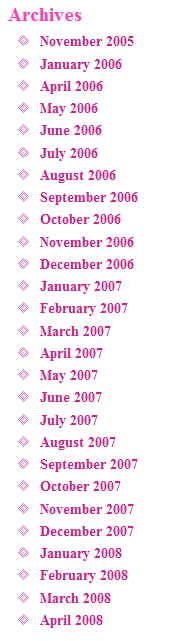 Your blog archives are the list of months some bloggers keep in their sidebar that link to monthly chronological collections of their blog posts. In the early days, a site with such a monthly listing in their sidebar meant this was a personal blog. Without it, it was a website or professional site.
Are you still displaying your blog post archives? What benefit do bloggers get when the offer a long series of months and years in the sidebar of their blog? Do visitors and readers really use them? Do you?
With all the worry about duplicate content and Google’s PageRank, if your blog is generated similar or duplicate content within the categories and tags, then why do you need to clog their databases with archives?
Have you ever found archives in a search result? I do all the time. I click though hoping to find the answer to my question and find nothing. That information might have been on page 4 of that month’s archive of posts, but now, the natural chronological push from the present to the past of the blog structure may have pushed the information I need onto page 6.
How would I know?
If the site’s archive page I just landed on looks like there is a lot of related content, I’d probably hit the blog’s search form, hoping it would lead to the information I need. If the archives weren’t in the search engine results, I might get to the information faster.
This chronological pushing and moving of timely content isn’t confined to archives. It happens with categories and tag pages. The difference is that (hopefully) the results are related content, with a greater chance of finding the answer within the results. With archives, what you write today might be different from yesterday or last week.
When you published isn’t as important as what you published. The content has priority over the date.
Why bother?
Archives Establish a Blog History
Many like the long listing of dates in their sidebar as proof they have been blogging a long time.
Why not put “Blogging since 1994” in your tagline or purpose statement, or in a note in the sidebar? You can add it to your About Page or anywhere to convey the same information without cluttering up the sidebar.
The calendar was an add thing to me when it arrived in blog sidebars. Click on a date to find out how many posts you wrote and what you wrote on which day. Who cares when? People care about what! Calendars are for appointments and events, not posts. Thank goodness most people saw blog calendars as I did and stopped using them.
The calendars and archives are also deceptive. You could have published only one post in April and 50 in May, but you only get one listing for the month. If you don’t publish for that month, your blog program and Theme might not display the missing month, giving you a very odd gap in the schedule, and evidence to the world that you weren’t paying attention to your blog for that month.
Honestly, if the length of time you’ve been blogging is important, make it prominent, not clutter.
Easy Reading and Searching of Your Blog Archives
Archive post lists do not make for easy searching of your blog content. Return readers might want to find something on your blog that they read last month, but they might not be sure of exactly when, so they’ll click through April, May, March, and get frustrated looking through post after post in the archives. The search function is much faster.
For blogs that want their blog posts read in chronological order, from the first the most recent, then create a Site Map that lists your blog posts in chronological order for reading. There are WordPress Plugins that may help you create this list, or you can put the links in manually, controlling the order yourself. Readers can go from link to link easily, reading the story of your blog.

Increase Your Blog’s Navigation Without Archives
If you are currently relying upon your blog’s archives list for reader and visitor navigation, hopefully you have learned how little they use them. So why not replace the archives with valuable navigational aids?
Are your blog categories listed prominently and clearly labled as to the content within them? These are the most used navigation features on a blog, so make sure they represent your blog’s content well.
What about tags? Do you have a tag cloud featuring the most popular tags on your blog? Do all your blog posts feature tags to help visitors find related content?
Is your search form near the top of your blog’s page in the sidebar or header, easily found and used? Have you checked the search results page to ensure it shows excerpts, not full posts, to make the searching process faster?
Make sure there are next and previous posts listed on every post, so readers can move in chronological order. If you want them to move from next and previous posts only within that category of posts, there are WordPress Plugins that will add that feature.
Want to help your readers even more? Add a related posts feature to each blog post to direct them to content specific to the subject matter they are reading. You can do this with a Plugin or manually.
Think about how your blog’s readers and visitors use your blog and design for them.

My archives are nicely shoved away onto the archives page, I don’t like them in any part of my design as it’s just too messy. Already it’d be a list of 25 items, 2 years from now 49 and it’d only get worse.
Especially on the somewhat older blogs it’s so useless as an addition the moment they have quite a lot of smaller posts, it becomes more archive listing than post.
And well yeh, let’s be honest. Who is bothered to read what you wrote about in let’s pick a random month in 2006. In case they actively stumbled across it through search okay, but I doubt the number of clicks to random archives is going to be big.
I see it sort of like the city archives, great repository for info on the area in which I live for as good as the past 700 years but you just don’t walk in there and decide to check up with happened during June 1538.
@ Slevi:
You have an Archives Page? Is it accessed often? For a long time, most site map Plugins were designed to be organized by date. I never saw the usefulness in that. Who cares when you posted. They just want the answer to their question, or the fun of reading what you write. So I’m with you.
I never really felt the archives were that important either, until a reader told me (face to face!) last month that my archives were a mess. She was rather rude about it, telling me that a lackluster interest in my archives revealed itself to her as an uncaring attitude toward my readers.
The very next day I fixed the problems she enumerated with a simple plug-in from WP.
And, I think I’ll keep the archive page for awhile. I agree with most of the points you made in the article, but the one vocal reader outweighs our combined opinions.
On my website (click above) you will find the archives in a drop-down-box. I wanted to drop them, however as in Jon’s case, a reader asked for it. It can be, of course, that specific content cries for a specific form: I have several travelling-articles and my colleagues on this trips are searching for what they know – and they know when it was. On the other hand, dates, even in the urls, can be disturbing. I have a nearly updated weekly-article about breakfast in Vienna and sometimes people ask whether it is up-to-date since the url is /2007/01/fruehstuecken-in-wien/.
So…
You put up very nice thoughts, however I’d like to add one more point here is it archives shows that since how long your blog is functional from the users’ perspective.
I use my archives as marketing. I have post counts displayed.
It shows new readers that I write a lot and that putting me in your RSS really is necessary because you might miss something otherwise.
Here’s a related question: is there a “best way” to select the text for linking to another post?
I think archives show how much a blogger was involved in writing posts for the blog, because I read some blogs where there are only few posts and if you search according to tag or catagory, it shows many posts, but when you go for archives, is shows the real situation. So to my point of view it is an important part of blog. An organized calender for our posts.
Hey, you convinced me, I’m going to remove my archives page. If anything, I think it draws attention to how young my blog is.
@ Fern:
Ah, good point. If you haven’t been blogging for very long, it does reveal your age – or lack thereof. Thanks!
I have my archives available on the main page (towards the bottom) via a drop-down menu list. I do get occassional hits to the archive pages via that menu, but more often, the hits to our older blog posts come from search engine results traffic.
But even more than that, those older posts get much more traffic by way of “deep linking” back to archived posts from within newer posts. I find that deep linking encourages your readers to explore historical parts of your blog that they would likely otherwise never dig deep enough to find. Y’know, sometimes the blog entries that you’re most proud of, or poured the most effort into, are the very ones that can seem to go by unnoticed. So deep links are an excellent way to shine a little new light on older posts that didn’t seem to get their due share of exposure when initially posted.
I have the archives set up a little bit “differently” using the snazzy archives plugin if you want to check it out.
@ vladimir:
Yes, that’s a snazzy Plugin, but one I personally don’t like. Again, the issue for an Archives Page (not just the list) is how helpful it is to the visitor and user, not the blogger. I like the look but I do not like the fact that the list is chronological not categorical. I also don’t like that you have to scroll horizontally to see the whole thing, something many people hate.
If this Plugin sorted by category, and restricted the width, it would be awesome. Right now, it’s just pretty not functional.
Lorelle,
You’re killing me. Hehe! I think you’ve been on my blog,analyzing all of my boo-boos and using them as inspiration for blog posts of what not to do. Sounds like I’m feeling guilty, doesn’t it?
Ok, ok, I’ll remove my monthly archives. You’re right, it takes up valuable real estate and after blogging for 17 months, it’s looking kind of tacky. Well….real tacky!
Color it gone!
But I’m leaving my (clean) archives in my header (even I use that).
I know…..the next thing to add to my list is categories and tags. HELP!!!!!
@ Barbara Swafford:
Call your “clean archives” (whatever that is – I know it’s a WordPress Plugin) your blog’s site map (not sitemap – different thing) and you will have something useful for your readers, especially if the results are categorized, not chronological.
And yes, the attack of the WTF categories and tags are coming up soon. :)
You will find a useful tips how to enhance your blog post work and how to save some time.
nice article thanks for sharing, wish you continued success
Uru Sengmaw Ga e Myen hte KIA lapran, ganoi gap hkat
Lai wa sai bat lahkawng ram hta Jinghpaw mungdaw, Hpakan Uru Seng Maw ga e Myen hte Wunpawng Mungdan Shanglawt Hpyendap (KIA) lapran, ganoi noi gap hkat wa madung du wa sai lam, Hpakan shiga lawk kawn chye lu ai.
Seng Ra e jung ai KIA dapdung 6 hpe Hpakan Byuha na Myen hpyenla ni wa wang ai hpe KIA hpyenla ni bai kahtap wang tawn ai mabyin hta, gap hkat na ri ri rai sai ten, KIA Dap Awng Daju Du Daju Gunhtang Gam Shawng ahkang n jaw ai majaw, majan hpe koi yen lu ai re lam, dap 6 hte ni nawn ai shiga lawk kawn chye lu ai.
Shawnglawm hkawm nga ai KIA hpyenla langai.
Shawnglawm hkawm nga ai KIA hpyenla langai.
Ndai mabyin hta, KIA dapdung 6 hpe Dap-up Major Yawngba Shawng woi awn nna, Myen hpyen hpe gaw Hpakan Byuha-mu Col. Than Aung woi awn ai hte, Myitkyina de na Myen hpyenla ni mung n-gun jat lawm ai lam, Hpakan buga masha ni kawn kahtap chye lu ai.
Ya ten KIA hpyenla ni hpe shawnglam de moi gap hkap ten na zawn gawan hkawm na matsun tawn tim, tinang shawng sinat n kapaw hpang na matsun tawn ai lam, KIA shiga lawk kawn chye lu ai.
De a shawng e sha, KIA dapdung 6 hte Hpakan byuha-mu lapran, “July praw 4 hte 5 ya shani byin ai, Uru Hka Mawru hte Ga Sharut Gyi ai mabyin” hpe lungseng company ni hpe lam jasan jaseng shangun na gabaw n’tsa, tsawm ra mi ga dang rang hkat wa sai lam, chye lu ai.
Mabyin gaw, ga gyi, hka mawru byin ai hpang shani hta, KIA Dap 6 dap-up wa hte malawm ni gaw, “Mawdaw lam bai jasan jaseng na bungli hpe seng ang ai lungseng company ni hpe galaw shangun ga” ngu, byuha-mu hpe sa bawngban yang, “Lahta matsun n nga ai nga nna, ningdang” kau ya ai majaw re lam, KNG kaw sagawn chye lu ai.
Dai majaw, KIA dung 6 dap-up wa hte malawm ni gaw, Hpakan-Seng Tawng lapran na ‘Tit Tong Long’ lungseng company rung daju de sa nhtawm, lam jasan jaseng na matu sa tsun ai shaloi, byuha-mu ahkang n jaw ai nga nna ningdang wa ai majaw, sinat shaw jahkrit dan ai lam, galaw wa sai hpe KNG kawn sagawn chye lu ai.
Ndai zawn KIA dung 6 ni Tit Tong Long company de sa nna lum jasan jaseng na matu sinat shaw jahkrit mat ai mabyin hpe company hku nna byuha-mu hpe tang madun ai majaw, dai lam a ntsa dap 6 hte byuha-mu lapran nhtoi bat mi ram na hkra dang rang hparan hkat wa sai lam, Hpakan buga masha ni kawn chye lu ai.
Comments
Add New Search
Excellent! I was searching for a good way to describe to my readers exactly what archives are, and how they are used. (I anticipate newbie users) That search landed me here. All your points are well taken, and my problem is solved. Flush the archives. Thanks.